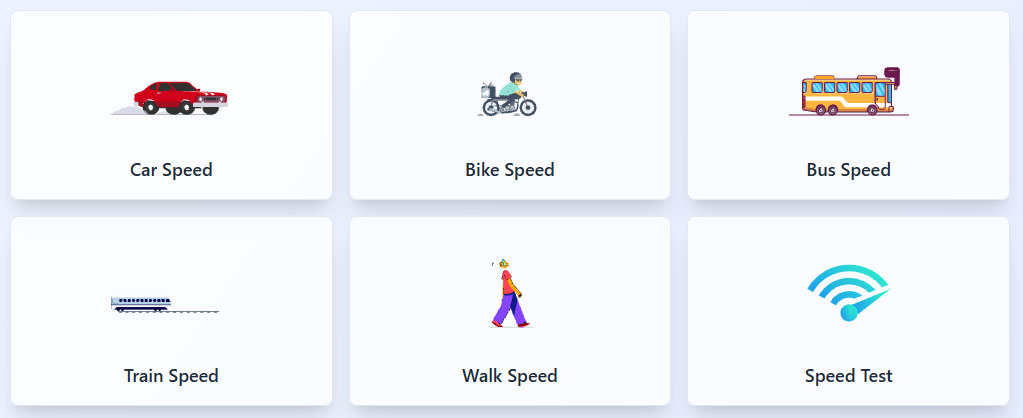
Netspeed Speed Test brings six checks into one layout: Car Speed, Bike Speed, Bus Speed, Train Speed,
Walk Speed, plus an Internet Speed Test. This page explains what each tile supports, which numbers
matter, and a workflow for consistent results.
Quick overview of the six tiles
- Car Speed: estimate road travel speed and trip pacing
- Bike Speed: track cycling speed for commuting, training, or delivery routes
- Bus Speed: compare route segments and schedule realism
- Train Speed: understand service classes and expected travel time
- Walk Speed: set walking pace targets and estimate arrival time
- Speed Test: check internet download, upload, and latency
Consistent testing rule: choose one unit system, record location and time, repeat the same route or
test method three times, then keep the middle result.
Car Speed
Car speed varies with road type, traffic density, weather, and legal limits. A practical approach
focuses on average speed across a segment, not peak bursts. Average speed supports arrival time
estimates and route planning.
Typical car speed ranges
- City flow: 20 to 40 km per hour, heavy congestion often drops below 20
- Suburban roads: 40 to 70 km per hour
- Highway travel: 80 to 120 km per hour, local limits differ by country
How to measure car speed in a consistent way
- Use the same route segment, such as a 5 km stretch
- Start timing at a fixed landmark and stop at the next fixed landmark
- Record distance, time, and traffic condition notes
Bike Speed
Bike speed depends on terrain, wind, surface quality, stop frequency, and rider effort. Commuting
pace often differs from training pace. A route average gives the most useful planning value.
Typical bike speed ranges
- Casual city ride: 10 to 15 km per hour
- Commuter pace: 15 to 25 km per hour
- Fitness ride on smooth roads: 25 to 32 km per hour
Bike speed tracking tips
- Separate moving time from stopped time for traffic lights
- Compare similar routes on similar days for fair results
- Record wind and rain notes when results shift
Bus Speed
Bus speed reflects stop spacing, boarding time, traffic, and signal timing. A bus route often shows
stable speed on open segments and low speed inside city cores.
Typical bus speed ranges
- Dense city routes: 12 to 20 km per hour average
- Mixed urban routes: 18 to 30 km per hour average
- Express or limited stop routes: 25 to 40 km per hour average
How to evaluate bus route speed
- Measure speed between two major stops with fewer boarding delays
- Track peak hour and off peak hour results separately
- Use the same time window across days for trend checks
Train Speed
Train speed varies by service type, track class, and stop patterns. Public timetables usually reflect
average speed across the full trip, including stops.
Typical train speed ranges
- Urban metro: 30 to 60 km per hour average across a trip
- Intercity conventional rail: 60 to 140 km per hour average
- High speed rail: 200 to 320 km per hour top speed, average lower due to stops and segments
How to compare train services
- Use total distance and total timetable time to compute average speed
- Separate time spent stopped from time spent moving when data exists
- Compare the same origin and destination pairs for clear ranking
Walk Speed
Walk speed supports commute planning, health pacing, and campus navigation. Consistent pace tracking
uses flat ground and the same footwear.
Typical walk speed ranges
- Leisure stroll: 3 to 4 km per hour
- Normal adult pace: 4 to 5.5 km per hour
- Brisk walk: 5.5 to 7 km per hour
Walk pace tips
- Choose a 1 km loop for repeat checks
- Keep posture and stride consistent across runs
- Record incline and surface type for context
Speed Test for internet connection
The internet Speed Test tile focuses on three metrics: download speed, upload speed, and latency.
Throughput supports file transfers and streaming. Latency supports responsive calls and online play.
Stability matters as much as peak numbers for real workloads.
Key internet metrics
- Download Mbps: impacts streaming, app downloads, and page load time
- Upload Mbps: impacts video calls, file sending, and cloud backup
- Latency ms: impacts call delay, game response, and remote desktop feel
Simple internet test workflow
- Pause downloads and cloud sync across devices on the same network
- Run one wired test with Ethernet to set a baseline
- Run one Wi Fi test near the router, then one Wi Fi test in the problem room
- Repeat in morning and evening peak to check congestion patterns
For meetings and online play, stable latency and steady upload often produce a better experience than
higher download peaks.
Comparison table: typical speeds across tiles
| Tile |
Typical average range |
Best use |
Main factor shifting results |
| Walk Speed |
3 to 7 km per hour |
Arrival time planning, health pacing |
Incline, surface, fatigue |
| Bike Speed |
10 to 32 km per hour |
Commute planning, route comparison |
Stops, wind, terrain |
| Bus Speed |
12 to 40 km per hour |
Schedule realism, segment timing |
Stop dwell time, traffic |
| Car Speed |
20 to 120 km per hour |
Trip pacing, route choice |
Traffic, limits, weather |
| Train Speed |
30 to 320 km per hour |
Service comparison, travel planning |
Stops, track class, service type |
| Speed Test |
Plan dependent |
Network checks, troubleshooting logs |
Wi Fi coverage, peak hour congestion |
FAQ
Which unit system works for transport speed checks?
Use km per hour where road signs use km per hour. Use mph where road signs use mph. Keep one system
across logs to avoid conversion errors.
Why does average speed matter more than peak speed?
Average speed predicts arrival time. Peak speed often reflects a short burst and does not reflect full
trip performance.
Which internet metric matters most for video calls?
Upload speed and latency stability matter most. A log showing steady upload and stable latency often
aligns with smooth calls.
How do you separate ISP issues from Wi Fi issues?
Compare a wired baseline result with a Wi Fi result from the same time window. Strong wired results
paired with weak Wi Fi results point to coverage or interference inside the space.